Here is what landed in JointTex this week.
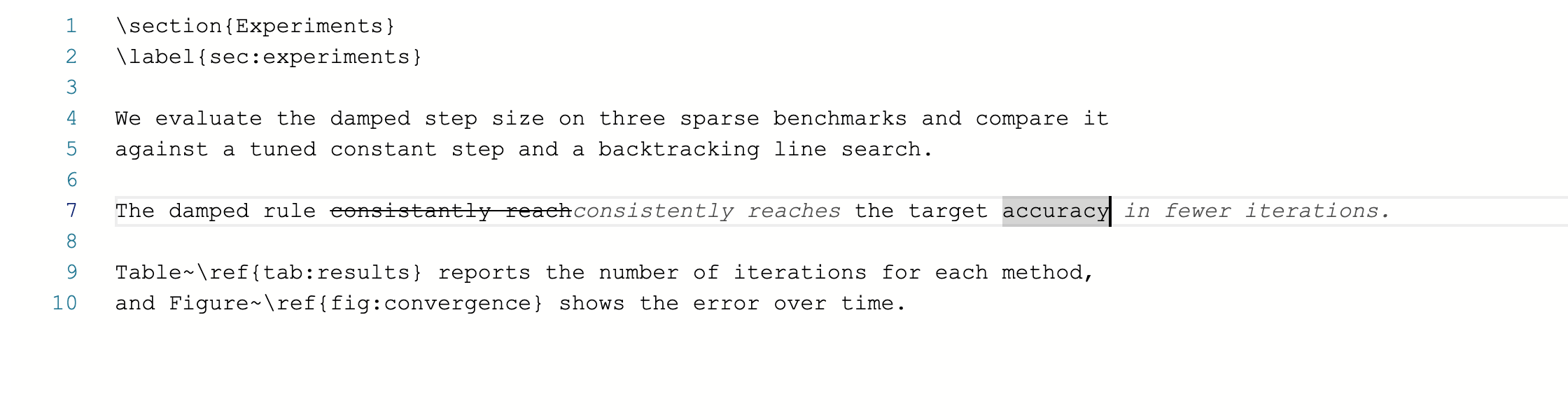
JointTex Tab now fixes, not just continues
Until now an inline suggestion could only add text at the cursor. It can now also propose an edit to the sentence you are in: a corrected word, a closed brace, a reworded phrase. The change is drawn in place, with what goes struck through and what replaces it written beside it. Press Tab to accept, Escape to dismiss.
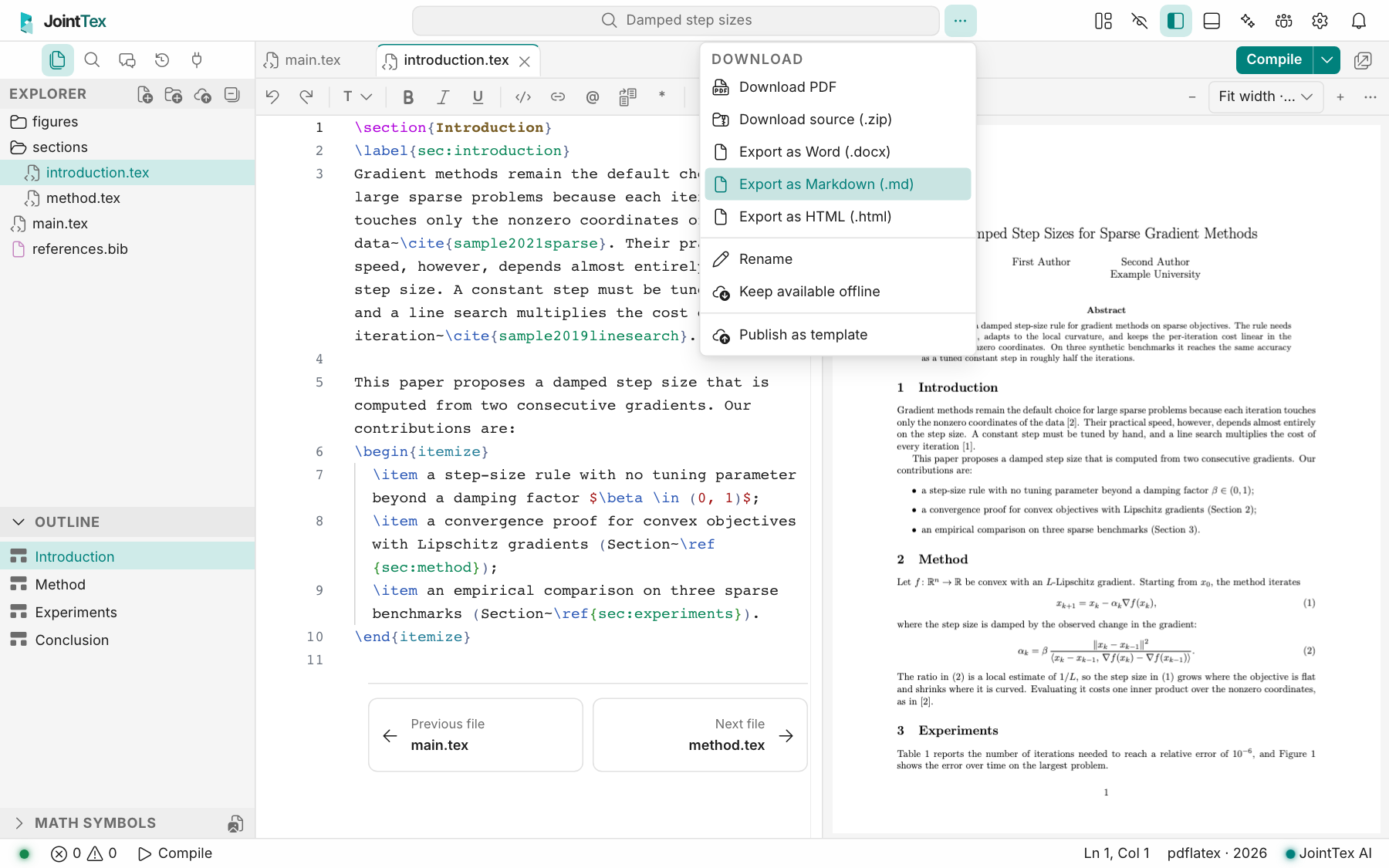
Export to Word, Markdown or HTML, for LaTeX and Typst
The project menu now offers all three formats for both kinds of project. Numbering, citations and footnotes come from the real compile. A Markdown export with figures downloads as a ZIP with its images; HTML is a single self-contained file.
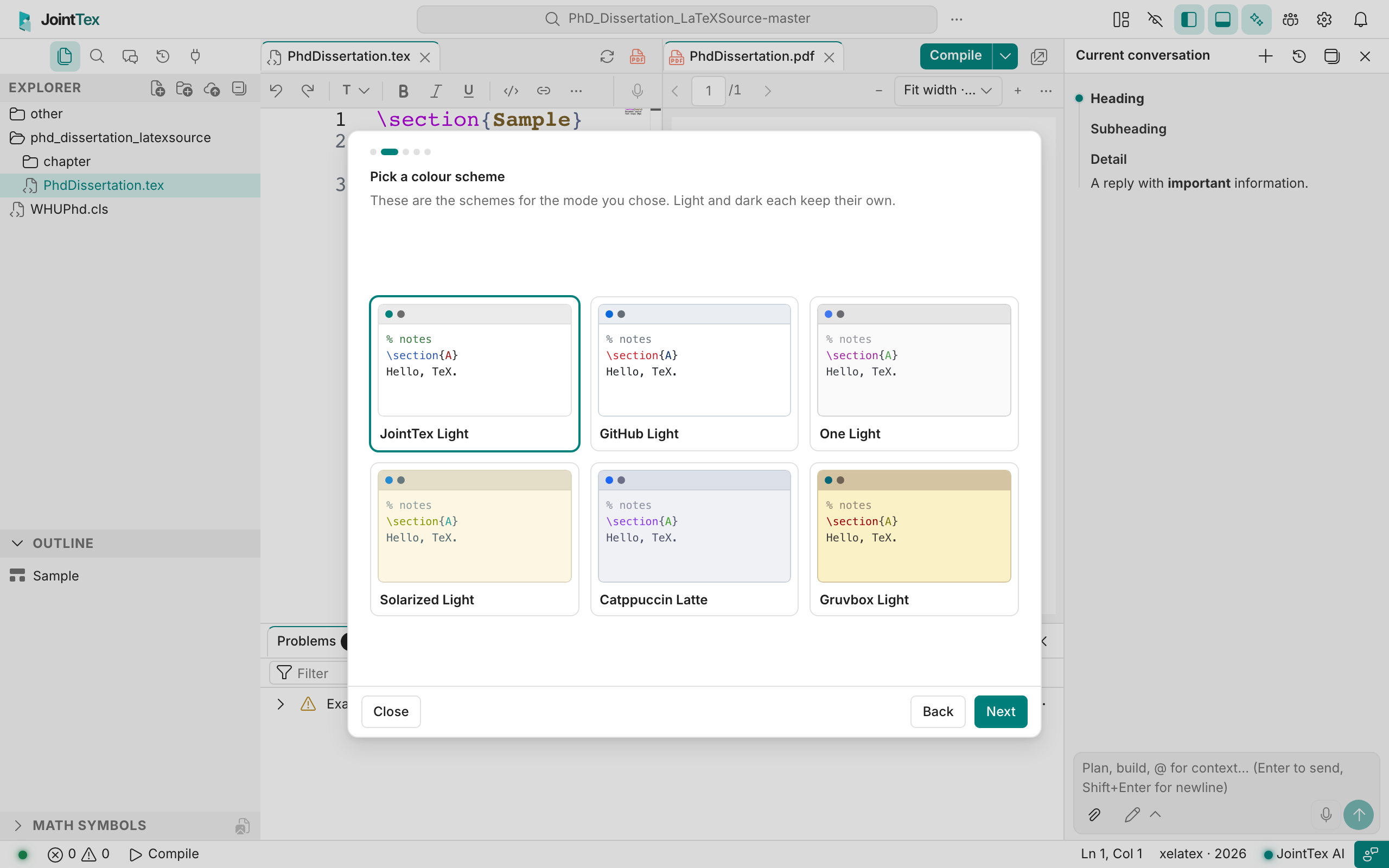
A quick setup for new accounts
The first time you open the editor, five short pages let you pick light or dark, a colour scheme, standard or Vim keys, where the math preview appears, and how long lines wrap. Each choice shows up in the editor behind the card right away. You can skip at any point, and reopen it later with Set up your editor in the command palette.
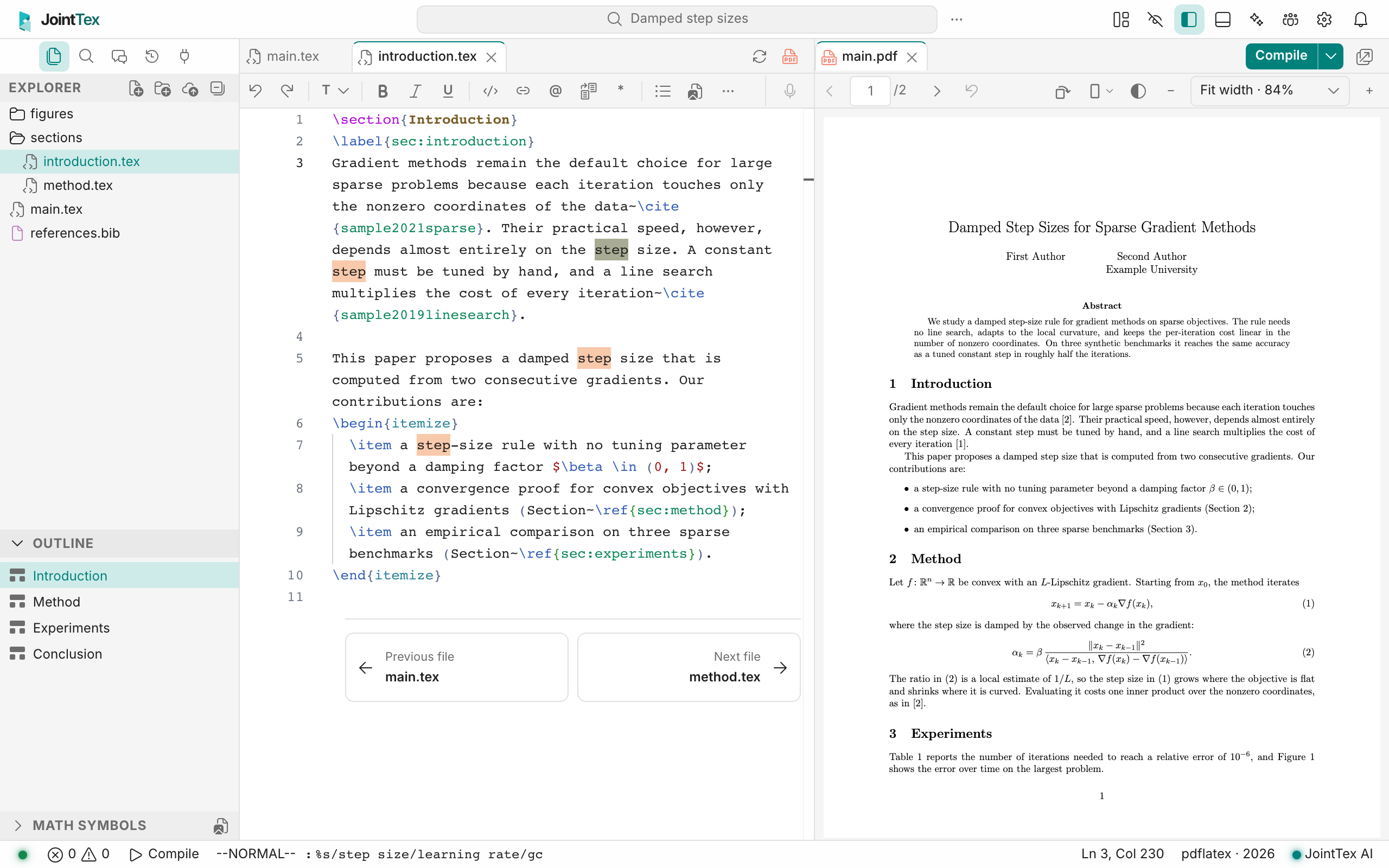
Much more Vim
The Vim keys gain search (/, ?), :substitute, :global, :delete, the view-scrolling keys and macro recording. Replace mode, marks, the jump list, gi and the insert-mode indent keys now behave as they do in Vim.
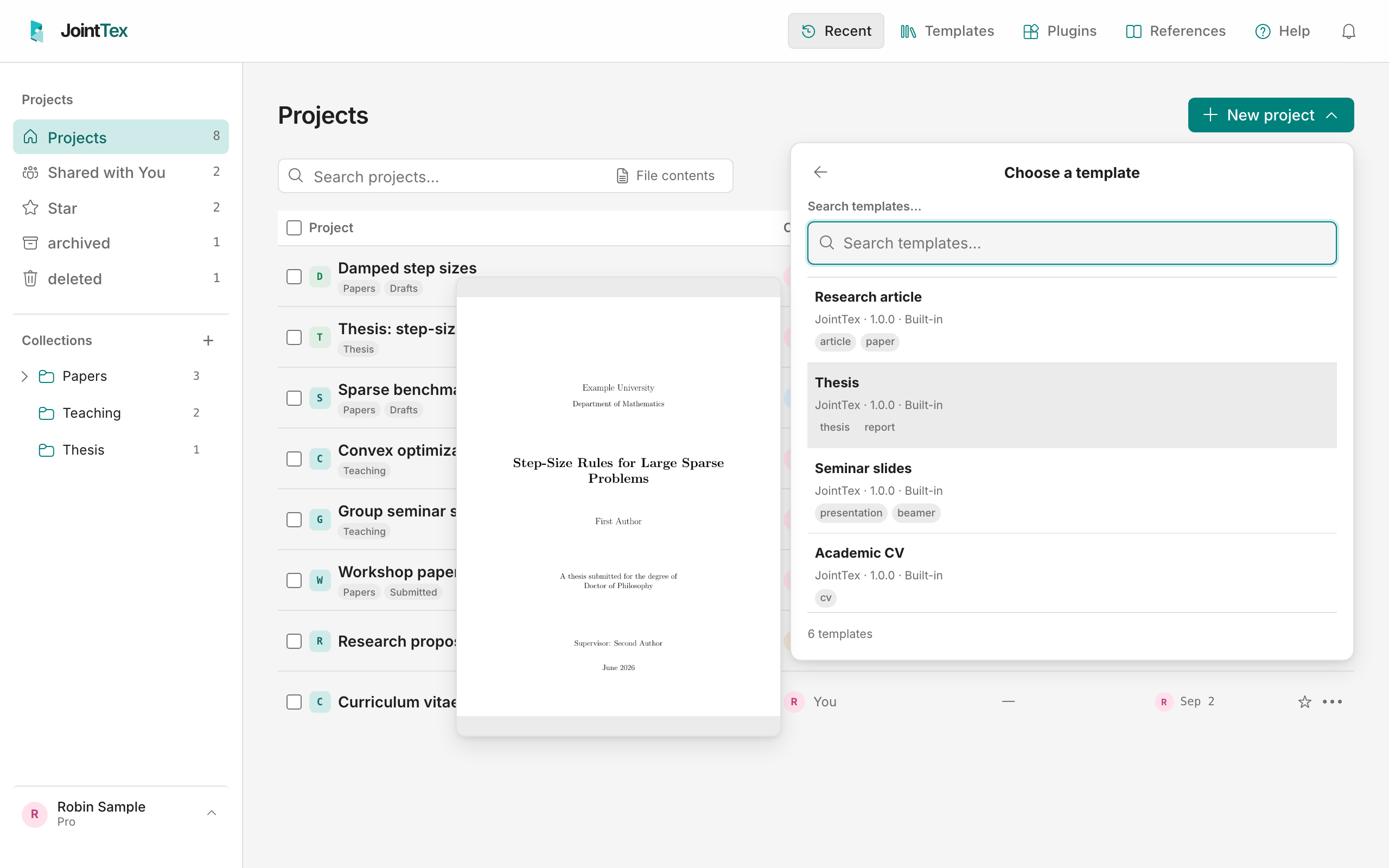
See a template before you choose it
In the new-project picker, resting the pointer on a template (or moving to it with the arrow keys) shows its first page beside the list.
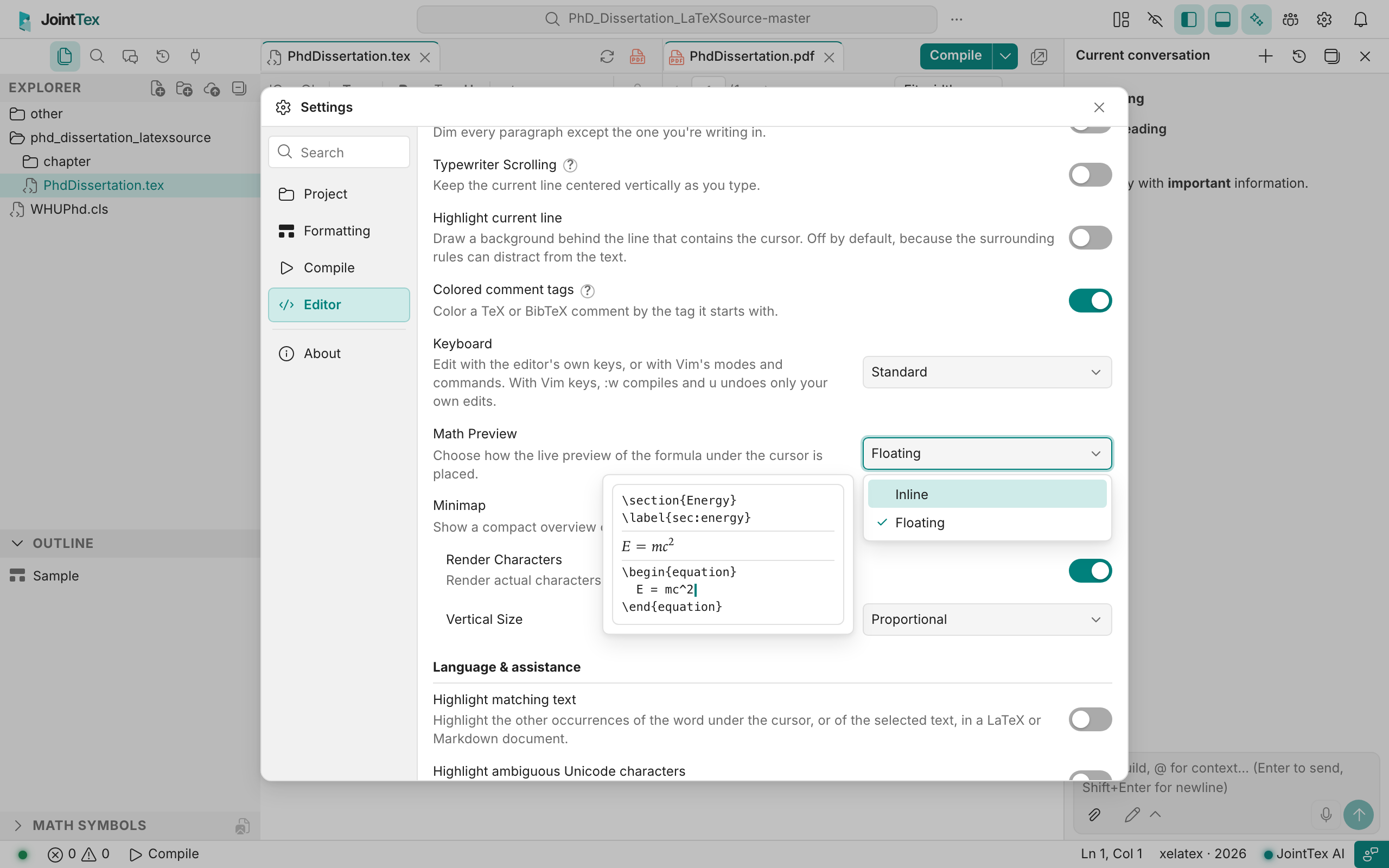
Settings that show what they do
Math Preview shows a picture of each placement next to the list, and Focus Mode and Typewriter Scrolling have a short illustrated explanation.
Folders stay put
Deleting or moving the last file out of a folder no longer makes the folder disappear.
Connecting AI apps is easier
The account page now leads with sign-in for connecting an app over MCP and lists step-by-step guides, including a new one for ChatGPT.
Also in this release
- Long compiles and long MCP calls are no longer cut off by a proxy in between.
- Importing a Typst project from a ZIP made on macOS, or one with several
.typfiles, finds the right main file; a LaTeX archive with no marked root gets one too. - Announcement times now name your time zone, and an announcement can link to its full text.
- Escape in the editor behaves the same in Firefox and Safari as in Chrome.
Questions or something not working as described? Post in Help or Bug Reports.